


Use onomeo in Zed
Zed's agent panel works with any OpenAI-compatible service. Follow the steps below to add onomeo as a provider in its settings and use this site's models.
A fast editor with AI agents built in.
What to fill in
OpenAI-compatible
Use these details in any OpenAI-compatible tool.
Any name works; the tool uses it only to tell its providers apart.
Step by step
Screenshots and dated measurements show earlier tests. Their model names and costs are historical; use the current model and pricing shown above.
Open the agent panel
Press the sparkle icon at the bottom left of the Zed window; the agent panel opens on the left. The first time, it shows a "Welcome to Zed AI" card: press Configure Providers at the bottom of the card.
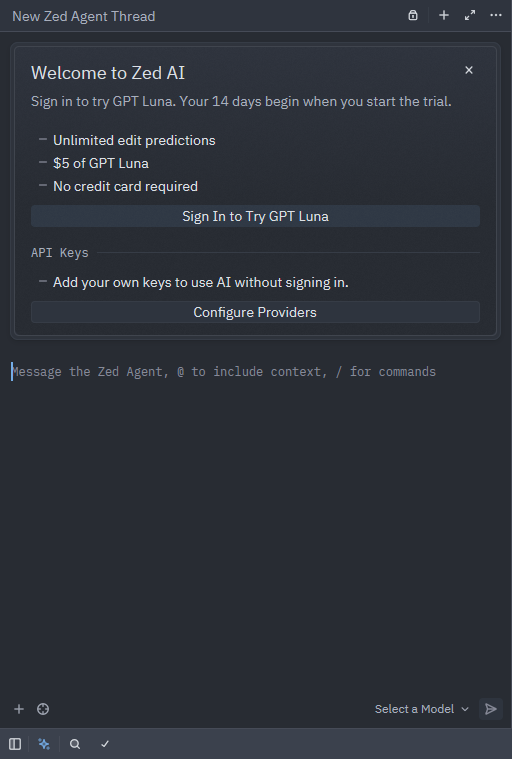
Press the sparkle icon at the bottom left, then Configure Providers in the card. The first time Zed opens a folder, it asks whether you trust it; press Trust and Continue. If the panel has no such card (you closed it before), press Ctrl+Shift+P (Cmd+Shift+P on macOS), type agent: open settings and press Enter; that opens the settings page of the next step too.
Open the provider list
The settings window opens on its AI page. Press Configure next to LLM Providers.
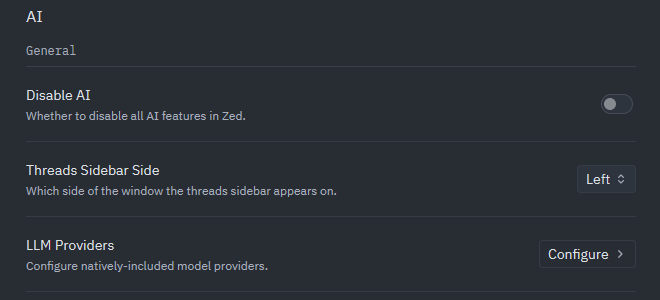
Press Configure at the right of the LLM Providers row. Add a provider
Press Add Provider at the top right and choose OpenAI in the menu.
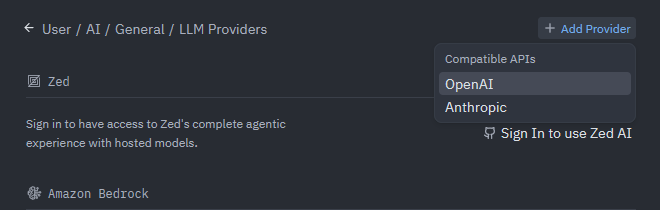
Press Add Provider, then choose OpenAI (meaning an OpenAI-compatible service). Enter this site's details
Put onomeo in Provider Name, the address below in API URL, your key in API Key (copy it from "What to fill in" above), MODEL_ID in Model Name and 128000 in Max Completion Tokens. Then press Save Provider at the bottom right.
https://onomeo.com/v1
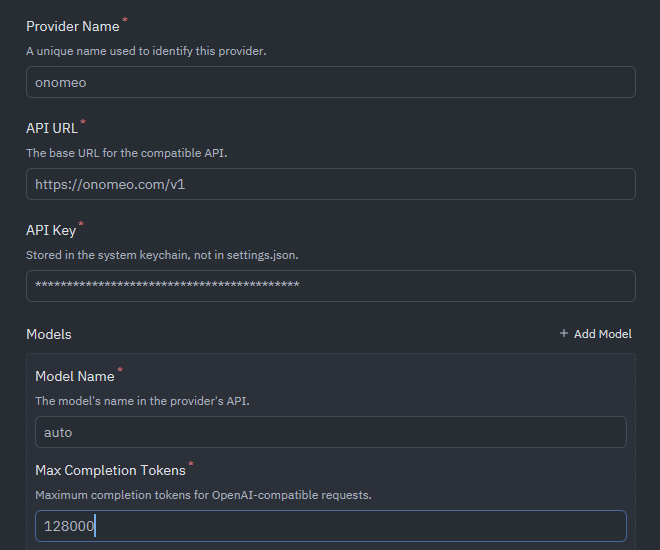
Fill in the five framed fields, then press Save Provider at the bottom right. The key is kept in the system keychain, not in settings.json.
Choose the model
Close the settings and go back to the agent panel. Check that the model at the bottom right is MODEL_ID; if not, click it and pick MODEL_ID under onomeo.

auto at the bottom right means it uses this site. Give it a task
Type what you want done in the agent panel's input box and press Enter. It asks before running a command.
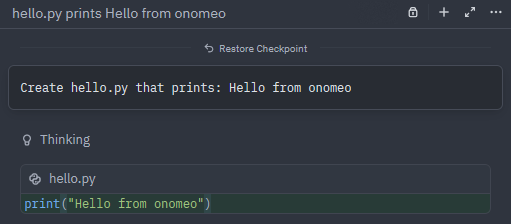
Here it was asked to create hello.py: it wrote the file straight away. Measured on 27 September 2026: the task above took 3 calls with auto, and nothing charged.
If it will not connect
- Max Completion Tokens is the output limit; for another model, use the number on the models page.
- 401: the key is wrong; enter it again on the onomeo entry under LLM Providers.
- 402: insufficient balance. Claude, GPT and other big models are charged by usage; top up on the Pricing page, or choose a lower-cost model and try again.
- The key can also live in an environment variable named after the provider: for a provider called onomeo, that is ONOMEO_API_KEY.