


Use onomeo in Roo Code
Roo Code runs AI agents inside VS Code with the model you choose. Set the provider to OpenAI Compatible and point it at this site, as below, to use the models here.
AI agents that plan and write code in VS Code.
What to fill in
OpenAI-compatible
Use these details in any OpenAI-compatible tool.
Step by step
Screenshots and dated measurements show earlier tests. Their model names and costs are historical; use the current model and pricing shown above.
Install Roo Code
In VS Code, click the Extensions icon on the left, search for Roo Code and install the one published by Roo Code. A kangaroo icon then appears on the left.
Start the setup
Click the kangaroo icon on the left and press Get Started on the welcome page.
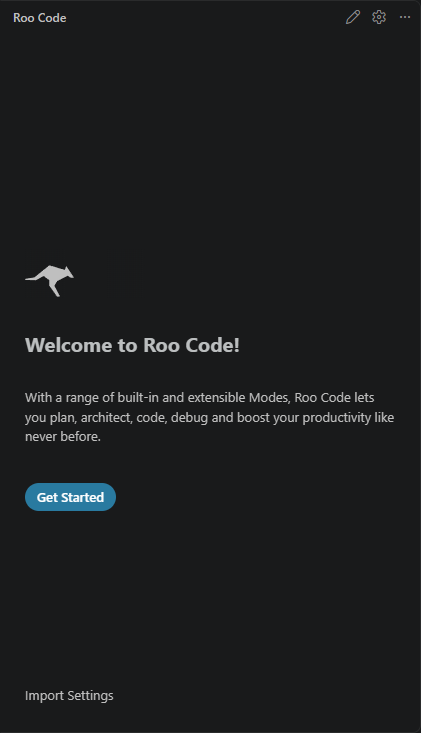
Press Get Started to reach the provider settings. Enter this site's address and your key
Set API Provider to OpenAI Compatible, put the address below in Base URL and your key in API Key (copy it from "What to fill in" above), and pick MODEL_ID under Model; the list comes from this site. Then press Finish at the bottom of the form.
https://onomeo.com/v1
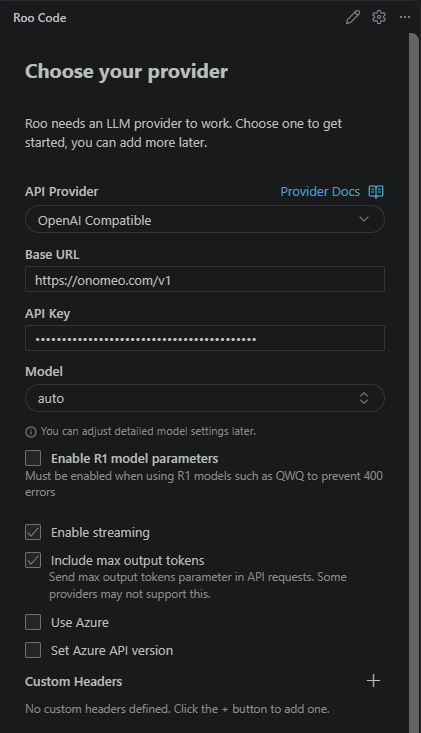
Fill in the four framed places, scroll down and press Finish. Give it a task
Type what you want done in the box at the bottom and press Enter.
Measured on 28 September 2026: Roo Code 3.54.0 on VS Code 1.122 or later stops at "API Request..." after a task is sent. Newer VS Code moved its built-in search tool and Roo Code no longer finds it (microsoft/vscode issue #318691); it is not a problem with this site. Until Roo Code fixes it, Cline sets up almost the same way.
If it will not connect
- The Base URL must be this site, not https://api.openai.com/v1.
- Roo Code works only through tool calls, so the model has to support them. If it answers but no file changes, switch to another model.
- Coding sends conversation history, instructions and file contents with each request. Paid models are billed by actual usage, including reasoning; longer sessions may cost more. Check the current model price and start a new session when earlier context is no longer needed.
- 401: the key is wrong; enter it again under the gear icon at the top right of Roo Code. 402: insufficient balance. Claude, GPT and other big models are charged by usage; top up on the Pricing page or choose a lower-cost model.