


Use OpenCode with onomeo
OpenCode is a coding agent that runs in your terminal. Follow the five steps below to connect it with an onomeo key. Use a currently listed model and check its price; paid site models require a top-up and are billed by usage.
A coding agent for the terminal.
What to fill in
OpenAI-compatible
Use these details in any OpenAI-compatible tool.
Step by step
Screenshots and dated measurements show earlier tests. Their model names and costs are historical; use the current model and pricing shown above.
Install OpenCode
On Windows, press the Windows key, type PowerShell and press Enter. On macOS, open Terminal. Paste the line below and press Enter.
npm install -g opencode-ai
If npm is not found, install Node.js (the LTS version) from nodejs.org first, then close PowerShell and open it again.
Save the configuration
Press Copy, paste the command into the same window and press Enter. It writes this site's address, your key and a few models into OpenCode's configuration file.
$f = "$HOME\.config\opencode\opencode.json"
if (-not (Test-Path $f)) {
New-Item -ItemType Directory -Force -Path (Split-Path $f) | Out-Null
[IO.File]::WriteAllText($f, @'
{
  "$schema": "https://opencode.ai/config.json",
  "model": "onomeo/MODEL_ID",
  "provider": {
    "onomeo": {
      "npm": "@ai-sdk/openai-compatible",
      "name": "onomeo",
      "options": {
        "baseURL": "https://onomeo.com/v1",
        "apiKey": "YOUR_API_KEY"
      },
      "models": {
        "MODEL_ID": { "name": "MODEL_ID" }
      }
    }
  }
}
'@)
Write-Host "Saved: $f" -ForegroundColor Green
} else { Write-Host "Config file already exists, left unchanged: $f" -ForegroundColor Yellow }
Replace YOUR_API_KEY in the command with your key. Once you create a key in this browser, it is filled in here.

When the last line reads Saved in green, the configuration is in place. If the yellow line "Config file already exists, left unchanged" appears, OpenCode has been set up on this computer before. To keep your settings, the command wrote nothing: open the file it names in Notepad and add the "onomeo" block above under "provider".
Start OpenCode
Go to your project folder first (for example, type cd D:\my-project and press Enter), then type the word below and press Enter.
opencode
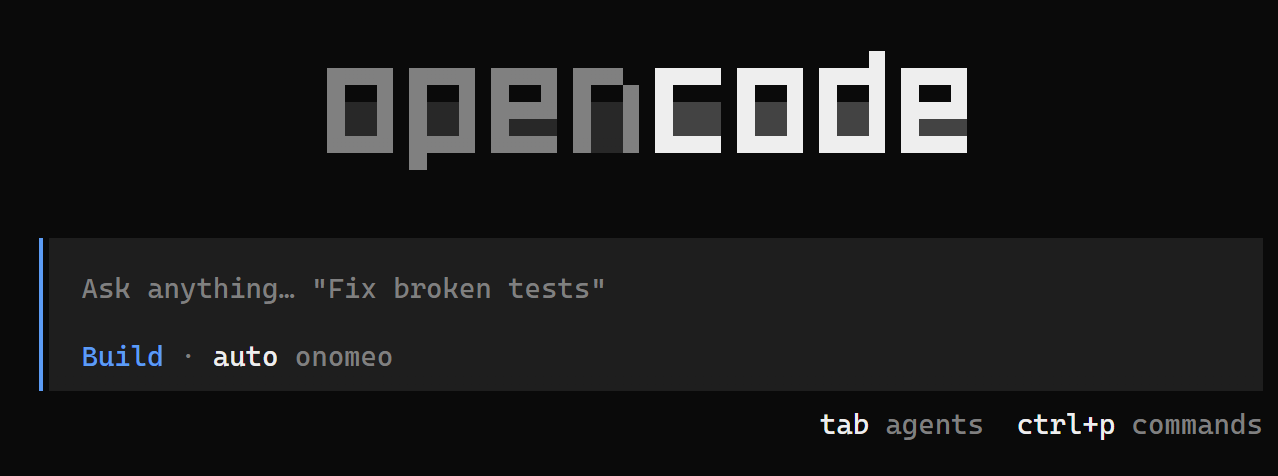
When "auto onomeo" shows below the input box, OpenCode is connected to this site. Give it a task
Type what you want done in the input box and press Enter. OpenCode reads files, writes files and runs commands on its own until the job is done.
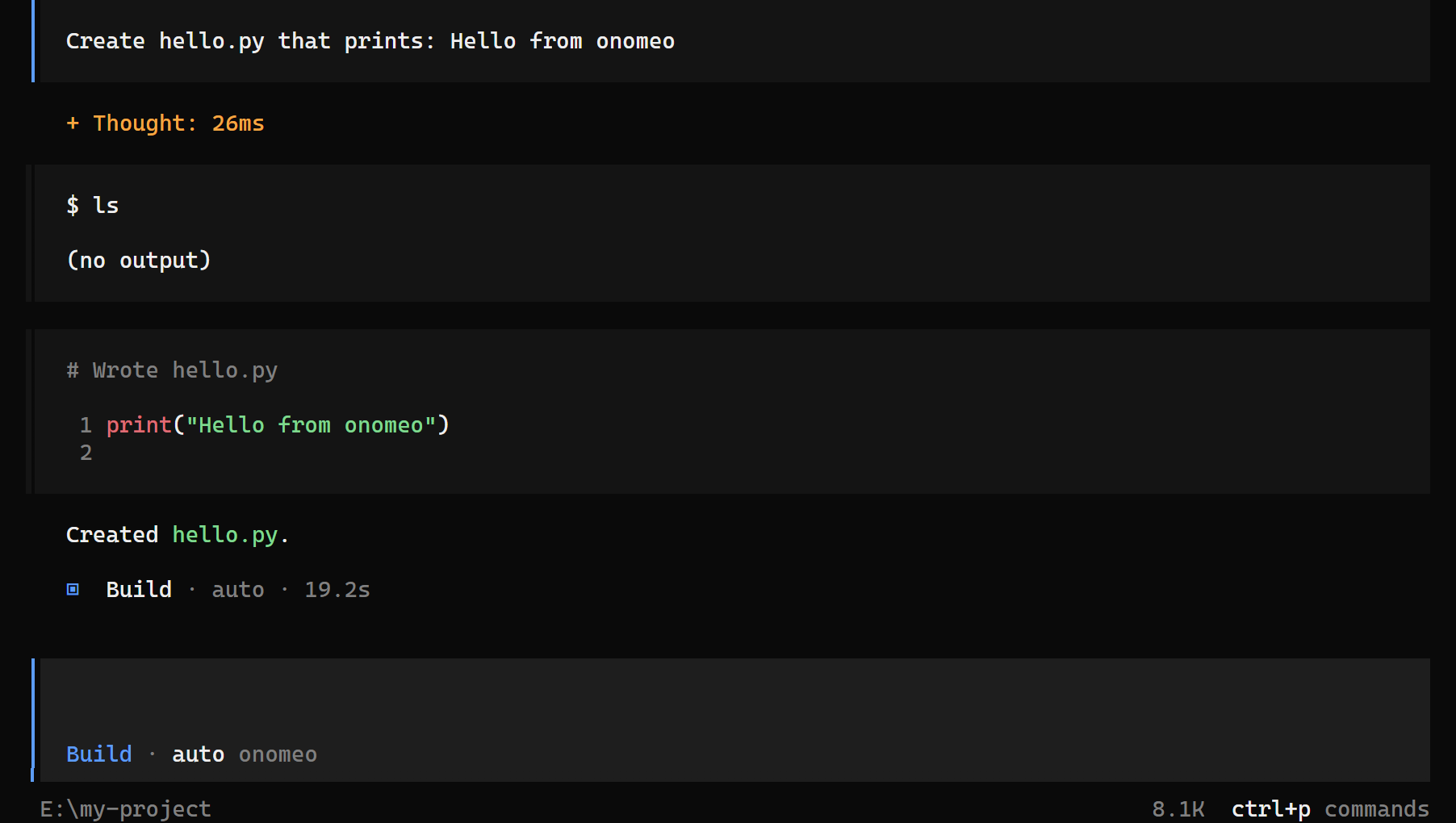
Here it was asked to create hello.py: it wrote the file itself and finished by saying what it did. OpenCode sends the model its long working instructions and its list of tools at every step; each step counts as one call, and a long step as several. Measured on 27 September 2026: the task above took three steps, 3 calls with auto, and nothing charged.
Switch modelsOptional
Type /models in the input box and press Enter, use the arrow keys to pick a model under "onomeo", then press Enter.
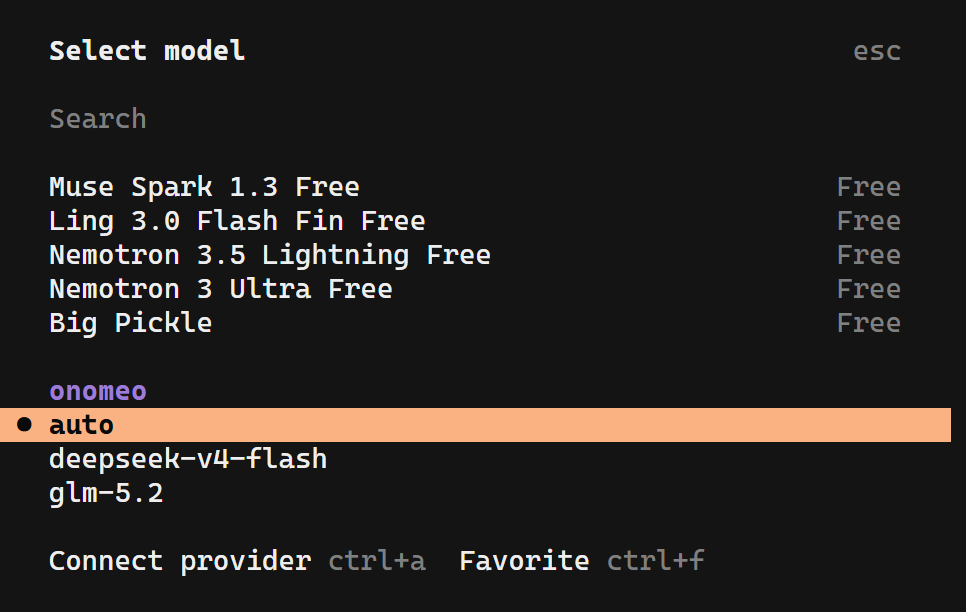
Pick a model under "onomeo". The ones marked Free above it come with OpenCode and do not go through this site.
If it will not connect
- 401: the key is wrong. Copy the command in step 2 again; if it said the file already exists, check the apiKey line in that file.
- 402: insufficient balance. Claude, GPT and other big models are charged by usage; top up on the Pricing page, or choose a lower-cost model and try again.
- No onomeo models in the list: the configuration was not saved. Run step 2 again, make sure the last line is the green Saved, then quit OpenCode completely and start it again.
- OpenCode sends the files it has read with every request. Longer sessions can increase input usage and charges; start a new session for each new task.