


Use onomeo in Jan
Jan is a desktop chat app that runs local models and connects to online services. Follow the five steps below to add onomeo as a provider and chat with this site's models.
A desktop chat app for local models and online services.
What to fill in
OpenAI-compatible
Use these details in any OpenAI-compatible tool.
Any name works; the tool uses it only to tell its providers apart.
No key yet? Create one on the My account page, then come back — the fields below fill in by themselves. Go to My account
Step by step
Open the add-provider window
Download Jan from jan.ai and open it. On first start it says Jan needs to set up on your system; that downloads an engine for local models, which this site does not need. Press Settings on the left, then the plus on the right of MODEL PROVIDERS.
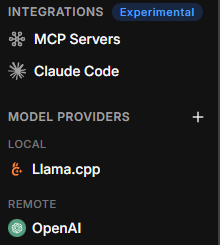
Press the plus next to MODEL PROVIDERS. Fill the name, address and key
Provider name: type onomeo. Leave API format on OpenAI-compatible. Base URL: the address below. API key: your key (copy it from "What to fill in" above). Then press Create.
https://onomeo.com/v1
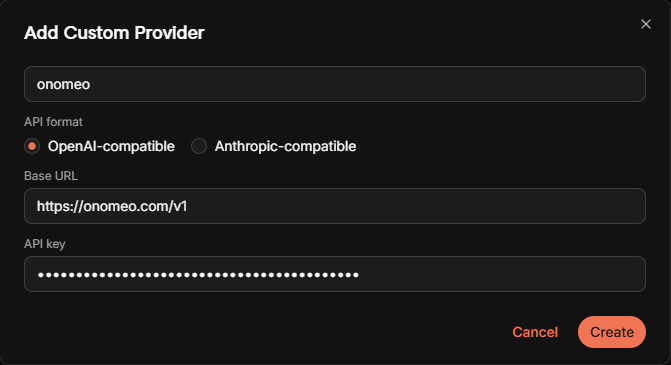
Fill the three places marked, then press Create. Fetch the models
Jan opens the Onomeo provider page. Press the refresh button on the right of the Models row; the models your key can use appear in the list, with auto first.
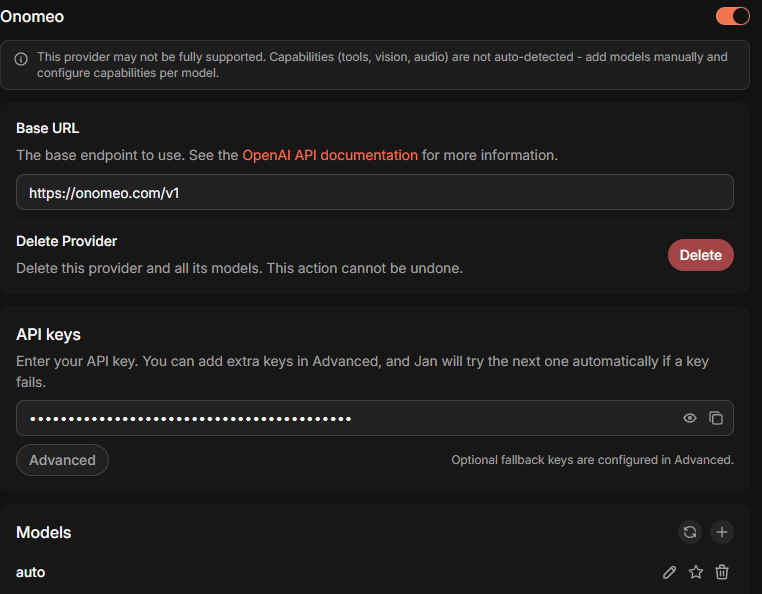
After the refresh button, auto appears in the list. If Help Us Improve Jan pops up at the bottom right, either answer works.
Choose the model
Press New Chat at the top left, then Select a model at the top. Type auto in the search box and choose auto under Onomeo.
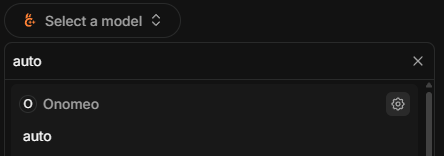
Choose auto under Onomeo. Start chatting
Type a message in the input box and press Enter.
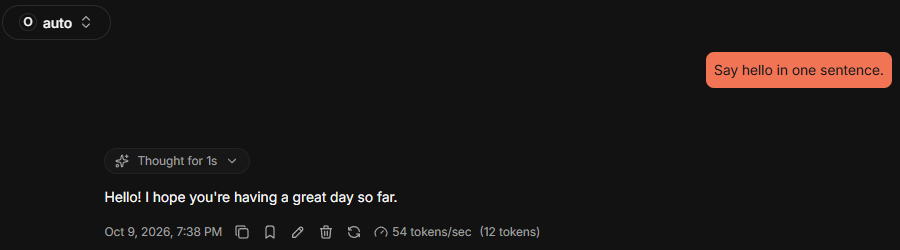
A reply means the connection works. auto at the top left is this site's model. Measured on 9 October 2026 with Jan 0.8.6: the message above took 2 calls on auto and was not charged.
If it will not connect
- Keep /v1 at the end of the Base URL and add nothing after it; Jan adds /chat/completions itself.
- To update the model list later, open the Onomeo provider in Settings and press the refresh button on the Models row again.
- 401: the key is wrong; open the Onomeo provider and correct the key under API keys. 402: insufficient balance. Claude, GPT and other big models are charged by usage; top up on the Pricing page or switch to a free model.
- Once your own provider keys are connected on the My providers page, their models also appear in the list after a refresh, with names starting my/. This site does not charge for those calls.