


Use onomeo in Goose
Goose is a desktop agent from Block that reads and writes files and runs commands on your machine. Follow the four steps below to add this site as a provider and use its models.
A desktop coding agent from Block.
What to fill in
OpenAI-compatible
Use these details in any OpenAI-compatible tool.
Any name works; the tool uses it only to tell its providers apart.
No key yet? Create one on the My account page, then come back — the fields below fill in by themselves. Go to My account
Step by step
Add a custom provider
Download Goose from goose-docs.ai and open it. On the welcome screen, press Connect to a Provider on the right, then press Add a custom provider below it.
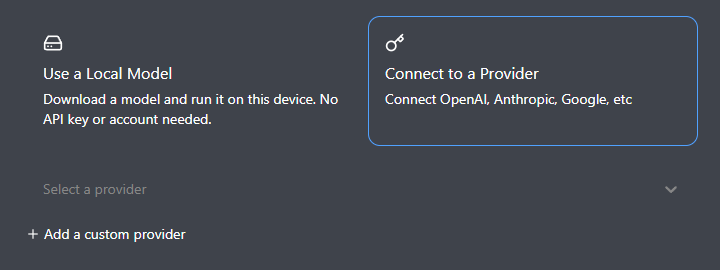
Press Connect to a Provider, then Add a custom provider. Fill it in by hand
In the window that opens, choose Configure manually. Leave Provider Type on OpenAI Compatible. Display Name: type onomeo. API URL: the address below. Tick This provider requires an API key and, in the API Key box that appears, enter your key (copy it from "What to fill in" above). Available Models: type auto.
https://onomeo.com/v1/chat/completions
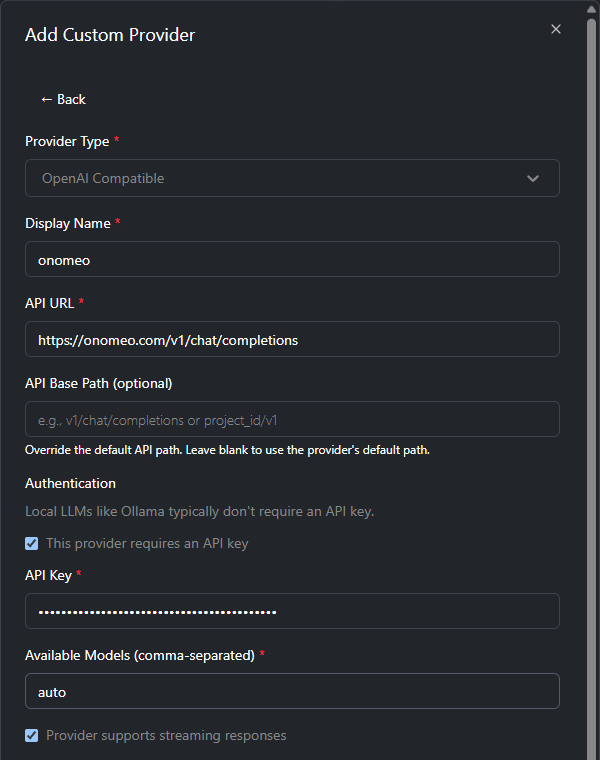
Fill the four places marked, and tick that it requires a key. Goose's API URL must go all the way to /chat/completions, and the API Base Path below it stays blank.
Create the provider
Scroll down and press Create Provider. Connected to onomeo means it is connected; press Get Started to reach the main screen.
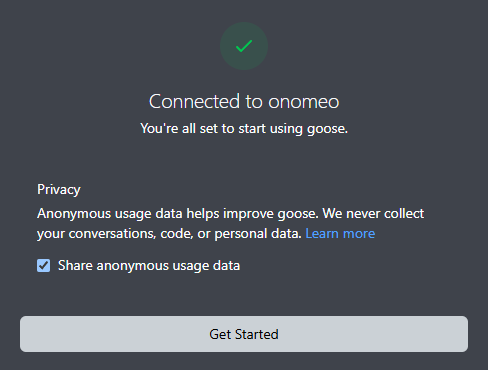
Connected to onomeo means the connection works. Give it a task
Type what you want done in the input box and press Enter. Goose writes files and runs commands by itself, and the bottom line shows the model it uses, auto.
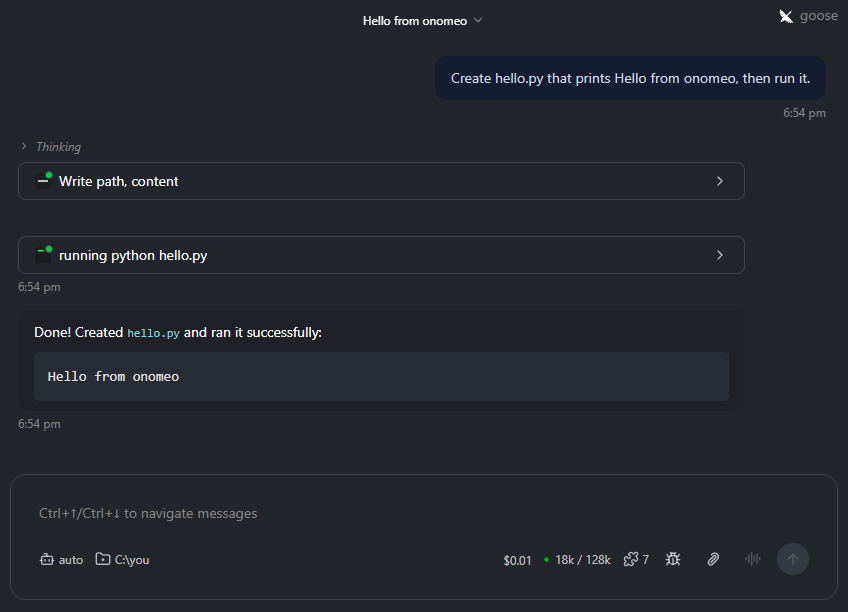
Here it was asked to create hello.py: it wrote the file, ran it, and reported the result; the bottom line shows the model auto. Each step counts as 1 call, and a long step counts as several. Measured on 9 October 2026 with Goose 1.54.0: the task above took 4 calls on auto and was not charged.
If it will not connect
- Goose's API URL must be the full https://onomeo.com/v1/chat/completions, with the API Base Path below it left blank.
- Coding sends whole files along with each request. On free models that is not charged, but a long request counts as several calls; Claude, GPT and other big models are charged by usage, and the balance goes quickly.
- 401: the key is wrong; open the sidebar with the button at the top left, go to Settings, then the Models tab, press Configure providers and enter the key again in the onomeo entry. 402: insufficient balance. Claude, GPT and other big models are charged by usage; top up on the Pricing page or switch to a free model.
- Once your own provider keys are connected on the My providers page, add my/<provider>/<model> under Available Models to answer on your own allowance instead. Nothing else changes, and this site does not charge for these calls.