


Use onomeo in Cline
Cline writes code in VS Code with whichever model you point it at. Follow the four steps below to point it here and it works with this site's models.
Code with your choice of model.
What to fill in
OpenAI-compatible
Use these details in any OpenAI-compatible tool.
Step by step
Screenshots and dated measurements show earlier tests. Their model names and costs are historical; use the current model and pricing shown above.
Install Cline
In VS Code, click the Extensions icon on the left, search for Cline and install the one published by Cline. A Cline icon then appears on the left.
Choose to use your own key
Click the Cline icon on the left. When it asks "How will you use Cline?", pick Bring my own API key and press Continue.
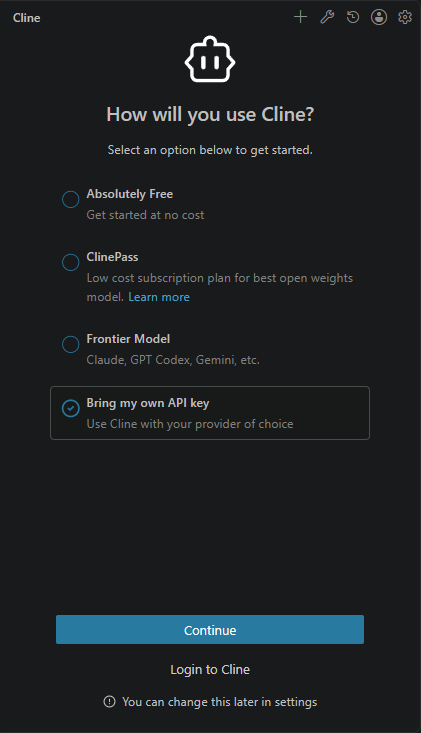
Pick the last option and press Continue. Enter this site's address and your key
Set API Provider to OpenAI Compatible, put the address below in Base URL, your key in OpenAI Compatible API Key (copy it from "What to fill in" above) and MODEL_ID in Model ID, or any model from the models page. Then press Continue.
https://onomeo.com/v1
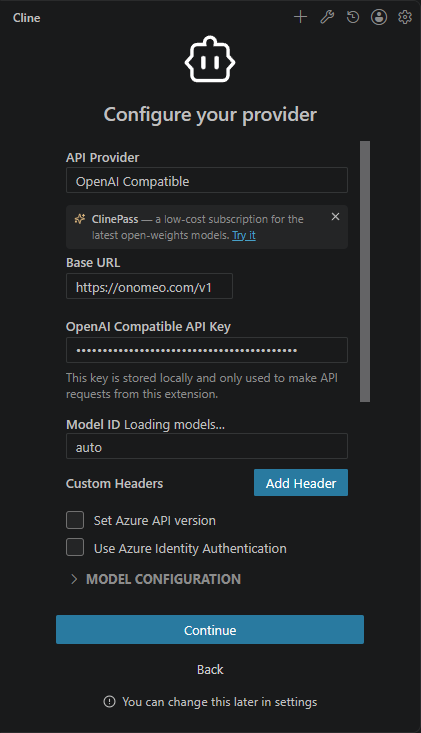
Fill in the four framed fields and press Continue. Give it a task
Type what you want done in the box at the bottom and press Enter. By default Cline reads and writes files on its own and asks before running a command.
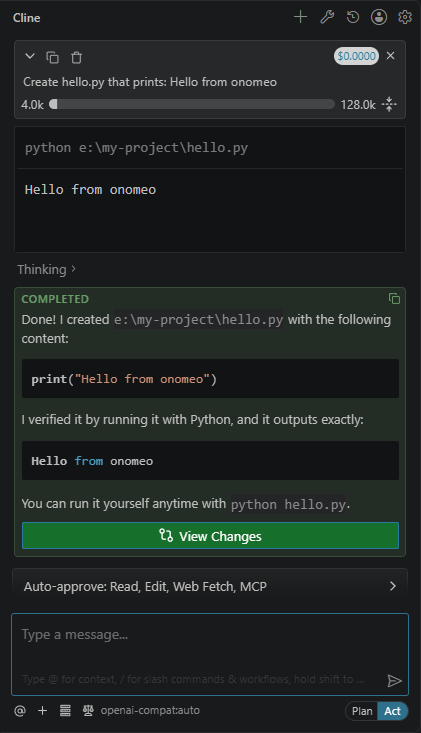
Here it was asked to create hello.py: it wrote the file, ran it to check, and showed COMPLETED. openai-compat:auto at the bottom means it used this site. At each step Cline sends the model its long instructions along with your files; each step counts as one call, and a long step as several. Measured on 27 September 2026: the task above took three steps, 3 calls with auto, and nothing charged.
If it will not connect
- The base URL is this site, not api.openai.com. That one field is where most failed setups go wrong.
- Coding sends conversation history, instructions and file contents with each request. Paid models are billed by actual usage, including reasoning; longer sessions may cost more. Check the current model price and start a new session when earlier context is no longer needed.
- 401: the key is wrong; enter it again under the gear icon at the top right of Cline. 402: insufficient balance. Claude, GPT and other big models are charged by usage; top up on the Pricing page or choose a lower-cost model.
- Once your own provider keys are connected on the My providers page, put my/<provider>/<model> in Model ID to answer on your own allowance instead. Nothing else changes, and this site does not charge for these calls.