


Use onomeo in Aider
Aider is a pair programmer that works in your terminal. Follow the steps below and it will edit your code with this site's models.
AI pair programming in your terminal.
What to fill in
OpenAI-compatible
Use these details in any OpenAI-compatible tool.
Step by step
Screenshots and dated measurements show earlier tests. Their model names and costs are historical; use the current model and pricing shown above.
Install Aider
On Windows, press the Windows key, type PowerShell and press Enter. On macOS, open Terminal. Paste the command below and press Enter.
powershell -ExecutionPolicy ByPass -c "irm https://aider.chat/install.ps1 | iex"
This is Aider's own install command. When it finishes, close the window and open a new one before the next step. If uv is already on your computer, this command replaces it with an older version; use uv tool install --python 3.12 aider-chat@latest instead.
Save the configuration
Press Copy, paste the command into the window and press Enter. It writes this site's address, your key and the model into Aider's configuration file.
$f = "$HOME\.aider.conf.yml"
if (-not (Test-Path $f)) {
[IO.File]::WriteAllText($f, @'
model: openai/MODEL_ID
openai-api-base: https://onomeo.com/v1
openai-api-key: YOUR_API_KEY
show-model-warnings: false
'@)
Write-Host "Saved: $f" -ForegroundColor Green
} else { Write-Host "Config file already exists, left unchanged: $f" -ForegroundColor Yellow }
Replace YOUR_API_KEY in the command with your key. Once you create a key in this browser, it is filled in here.

When the last line reads Saved in green, the configuration is in place. If the yellow line "Config file already exists, left unchanged" appears, Aider has been set up on this computer before. To keep your settings, the command wrote nothing: open the file it names in Notepad and change it to the four lines above.
Start Aider
Go to your project folder first (for example, type cd D:\my-project and press Enter), then type the word below and press Enter.
aider

When it reads "Model: openai/auto", Aider is connected to this site. The first time it starts in a project, it asks whether to add its own files to .gitignore. Press Enter.
Give it a task
Type what you want done after the ">" and press Enter. When it wants to create a file it asks first; press Enter to agree.
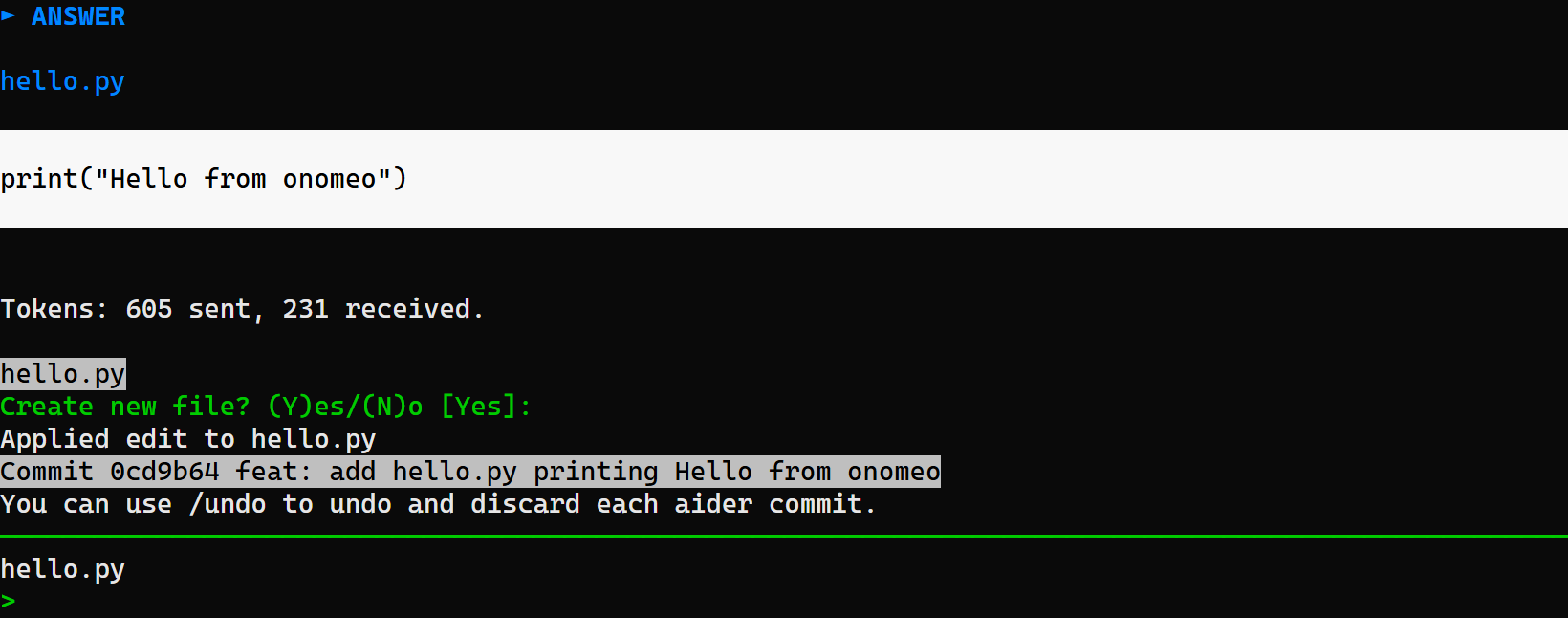
Here it was asked to create hello.py: it wrote the file and saved it as a git commit. Type /undo to take it back. Measured on 27 September 2026: the task above took one call to the model plus one for the commit message, 2 calls in all with auto, and nothing charged.
Switch modelsOptional
Add the model name when you start it, as below. Put a name from the models page after openai/, or change the model line in the configuration file.
aider --model openai/deepseek-v4-flash
If it will not connect
- 401: the key is wrong. Copy the command in step 2 again; if it said the file already exists, check the openai-api-key line in that file.
- 402: insufficient balance. Claude, GPT and other big models are charged by usage; top up on the Pricing page, or choose a lower-cost model and try again.
- Model not found: keep the openai/ in front of the model name. Aider uses it to send the request to this site.
- Coding sends conversation history, instructions and file contents with each request. Paid models are billed by actual usage, including reasoning; longer sessions may cost more. Check the current model price and start a new session when earlier context is no longer needed.